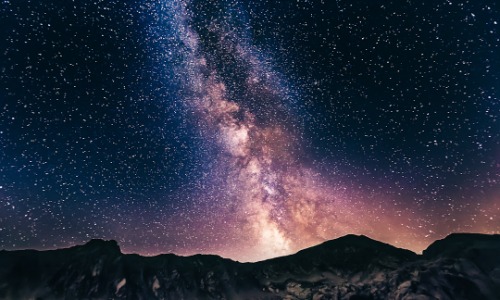

Astrophotography enthusiasts are increasingly drawn to the breathtaking beauty of the night sky, and capturing the motion of the Milky Way through time-lapse photography offers a unique way to showcase this celestial wonder. This article provides a detailed tutorial on how to effectively capture a motion time-lapse of the Milky Way, from preparation to post-processing.
Understanding the Basics of Time-Lapse Photography
Time-lapse photography involves taking a series of photographs at set intervals to create a visual sequence that shows the passage of time. When applied to the Milky Way, this technique allows viewers to witness the dynamic movements of stars and celestial bodies across the night sky. For beginners, it's essential to familiarize yourself with the basic concepts of exposure, aperture, and ISO settings to ensure high-quality images.
Essential Equipment for Capturing the Milky Way
To embark on your motion time-lapse project, you'll need specific equipment. A sturdy tripod is crucial for stability, while a DSLR or mirrorless camera with manual settings enables greater control over your shots. Additionally, a wide-angle lens is recommended to capture expansive views of the galaxy. Don’t forget extra batteries and memory cards, as time-lapse sessions can be lengthy and require ample storage space.
Choosing the Right Location and Timing
Location plays a vital role in capturing stunning time-lapse footage of the Milky Way. Select a site away from city lights to minimize light pollution and enhance visibility of the stars. It's also important to consider timing; the best months for Milky Way photography are typically from late spring to early autumn. Check moon phases and weather conditions to ensure optimal dark skies for your shoot.
Step-by-Step Shooting Process
Once you've set up your equipment in a suitable location, follow these steps to capture your time-lapse:
- Set your camera to manual mode and adjust your aperture to the widest setting.
- Set a low ISO to reduce noise, adjusting as necessary based on lighting conditions.
- Use a shutter speed between 15 to 30 seconds to adequately expose the stars without trailing.
- Take a series of images at consistent intervals, typically every 5 to 10 seconds, for a smooth time-lapse effect.
Post-Processing Your Time-Lapse Footage
After capturing your images, the next step is post-processing. Use software like Adobe Lightroom for batch editing your photos, ensuring consistent exposure and color correction. Next, compile the images into a video using software such as Adobe Premiere Pro or Final Cut Pro. Here, you can adjust the speed, add music, and apply transitions to enhance the final product.
Final Thoughts on Capturing the Milky Way
Capturing a motion time-lapse of the Milky Way is a rewarding endeavor that combines technical skill with artistic expression. By following the steps outlined in this guide, photographers at any level can create stunning visual narratives of our galaxy. With practice and patience, your time-lapse videos will not only impress viewers but also deepen your appreciation for the wonders of the night sky.