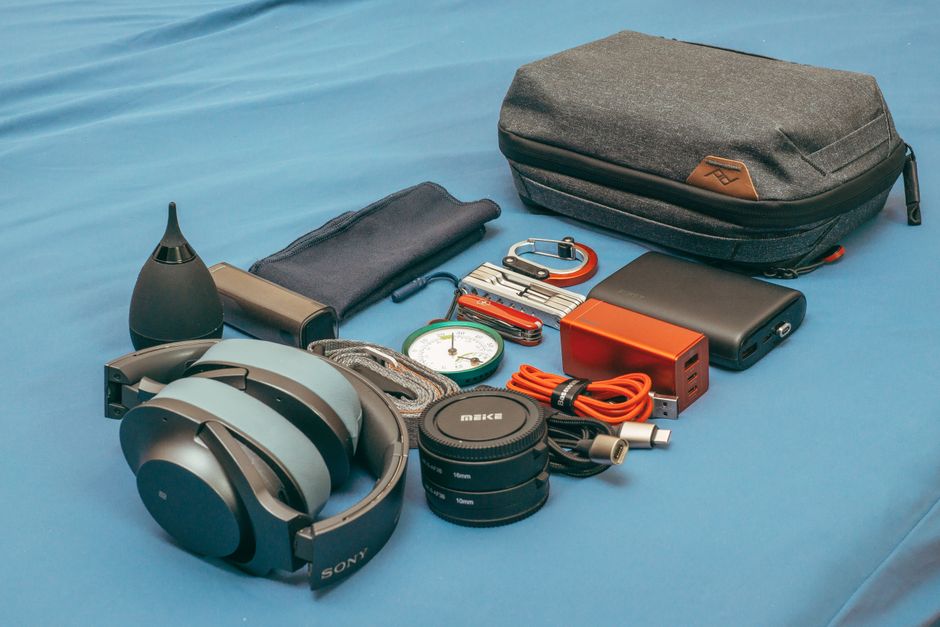

Most people back up photos and use two-factor authentication, but very few have a plan for the awkward in-between moments: the day your phone dies during a flight delay, a password manager locks you out, a storm knocks out your home internet, or a SIM swap shuts down your number right when you need it. Those moments aren’t “cybersecurity headlines”—they’re real-life friction that costs time, money, and a whole lot of stress.
A “digital go-bag” is a small set of tools, documents, and settings that makes you resilient when the digital layer of your life breaks. Think of it like an emergency kit for your identity, access, and connectivity—packed before you need it.
This guide walks you through a creative-but-specific approach: building a compact, modern digital go-bag you can keep in your bag, your car, and your cloud. You’ll get actionable checklists, real-world examples, and tips you can do in under an hour—then refine over time.
Why a Digital Go-Bag Matters (Even If You’re “Good With Tech”)
Digital failures often come in clusters. A dead battery becomes a login problem. A lost phone becomes a banking problem. A travel delay becomes a work access problem. A power outage becomes an internet outage—then a communication outage—then a payment outage.
Here are a few common scenarios where a digital go-bag pays for itself:
- Account lockout: You can’t access your email, which blocks password resets for everything else.
- Phone loss or theft: Your authenticator app, boarding passes, and contact list disappear at once.
- Power outage: Your router is fine, but your modem and devices die, and you can’t coordinate with family.
- SIM swap / carrier issue: SMS-based codes stop working, and you can’t receive critical alerts.
- Travel chaos: You need proof of insurance, reservations, or emergency contacts—offline.
The Digital Go-Bag: What to Include (The Core Kit)
The best go-bag is small, boring, and tested. Start with the “core kit” below, then add optional items depending on your lifestyle.
1) Power: Keep Your Devices Alive Longer Than the Problem
When something goes wrong, power becomes time. A few extra hours can be the difference between calmly fixing an issue and getting locked out of everything.
- Power bank (10,000–20,000 mAh): 10,000 mAh usually covers 1–2 phone charges; 20,000 mAh supports multiple devices or longer outages.
- Multi-cable solution: A short cable that supports USB-C and Lightning (or a tiny adapter set) prevents “wrong cable” failure.
- Wall charger (30W+): A compact USB-C PD charger can quickly top up phones and many laptops.
Actionable tip: Label your power bank with the date you last tested it. Recharge it every 2–3 months so it’s not dead when you need it.
2) Offline Access: Your Most Important Information Without the Internet
If your phone is lost or you’re offline, you still need access to essentials. The trick is storing just enough to be useful, without creating a security risk.
- Emergency contact card: Print a small card with 3–5 key numbers (family, close friend, doctor) and any critical medical notes.
- Offline copies of critical docs: A PDF of your ID (front/back), insurance, and travel itinerary stored securely.
- “Recovery sheet” for key accounts: A private note listing recovery phone numbers, backup emails, and where your recovery codes are stored (not the codes themselves if you’re uncomfortable).
Real-world example: If you land in a new city and your phone won’t connect, having your hotel address and confirmation number printed or stored offline can save you from scrambling at the airport.
3) Authentication Resilience: Don’t Bet Everything on One Phone
Many people rely on a single device for authentication (SMS codes or an authenticator app). That works until it doesn’t.
- Use an authenticator app (instead of SMS) where possible.
- Enable backup methods: Add a second device, a hardware key, or backup codes.
- Store recovery codes safely: Print them and keep them in a secure place (not in your wallet). Consider a sealed envelope in a home safe.
Actionable tip: Pick your top 5 “keys to your kingdom” accounts (email, Apple/Google, password manager, bank, primary social). Make sure each has at least two recovery methods that don’t depend on your main phone.
4) Connectivity Options: Plan for “No Wi-Fi” and “No Cell”
Your go-bag should help you get online in a pinch—or at least communicate.
- eSIM ready: If your phone supports eSIM, set it up before you travel (or know how to quickly add one).
- Wi-Fi calling enabled: Turn on Wi-Fi calling ahead of time so you can call if cell service is weak but Wi-Fi exists.
- Hotspot plan check: Confirm your hotspot allowance and how to enable it quickly.
Helpful reference: If you’re comparing mobile options, plans, or device features, browsing a consumer tech resource like CNET’s phone and carrier coverage can help you sanity-check specs, pricing, and plan details before you commit.
The “Cloud + Physical” Rule: Split Your Go-Bag Into Two Locations
A digital go-bag works best when you store components in two different places, so a single failure doesn’t wipe everything out.
- Cloud: Encrypted notes, a secure vault, scanned docs (with strong access controls).
- Physical: Printed emergency contacts, a small USB drive (optional), backup codes in a safe place, spare cable.
Actionable tip: Don’t store everything on one USB drive on your keychain. If it’s lost, you’ve created a new problem. If you use a USB drive, encrypt it and keep it in a secure location—not in your daily-carry wallet.
A Smart, Specific Checklist: The “10-Minute Drill” Once a Month
A go-bag is only useful if it’s current. Do a quick “10-minute drill” monthly (set a calendar reminder):
- Power bank check: Is it charged? Do cables still work?
- Recovery methods: Are backup emails and phone numbers still accurate?
- Authenticator backup: If you switched phones recently, is the new one properly set up?
- Critical documents: Any new insurance cards? New passport? New lease? Update PDFs.
- Emergency contacts: Did anyone’s number change?
This small habit is what turns a one-time checklist into real resilience.
Real-World “Go-Bag” Builds (Pick One That Matches Your Life)
Option A: The Frequent Traveler Build
- 20,000 mAh power bank + 30W charger
- SIM pin + eSIM instructions saved offline
- Printed itinerary + one emergency contact card
- Offline access to travel insurance and IDs
- Spare hardware security key (kept separate from your main key)
Option B: The Remote Worker Build
- Power bank + spare laptop USB-C cable
- Hotspot plan verified + hotspot shortcut set on phone
- Offline list of critical work logins and IT/helpdesk contact
- Backup MFA method for email and password manager
Option C: The Family/Home Emergency Build
- Two charged power banks (rotate monthly)
- Printed family contact sheet + meeting plan
- Offline copies of insurance, home inventory highlights, and medical info
- A “charging station” box so everything is grab-and-go
Security Without Paranoia: How to Store Sensitive Info Safely
A digital go-bag should reduce risk, not increase it. Keep these guardrails in mind:
- Store less than you think: You rarely need full account numbers; last four digits + provider name is often enough.
- Encrypt anything portable: If you keep files on a drive, use encryption and a strong passphrase.
- Separate backups from daily carry: Recovery codes should not live in the same bag as your phone.
- Prefer app-based MFA or hardware keys over SMS: SMS is better than nothing, but it’s more vulnerable to number-based attacks.
Conclusion: Your Future Self Will Thank You
A digital go-bag isn’t about fear—it’s about reducing the cost of inevitable tech friction. Phones get lost. Batteries die. Password resets fail at the worst time. With a small kit and a simple monthly drill, you can turn those moments into minor inconveniences instead of full-day disasters.
Start small: charge a power bank, print an emergency contact card, and verify recovery methods for your most important accounts. Once you’ve done that, you’ve already built more real-world digital resilience than most people—and you’ll feel it the next time life gets chaotic.