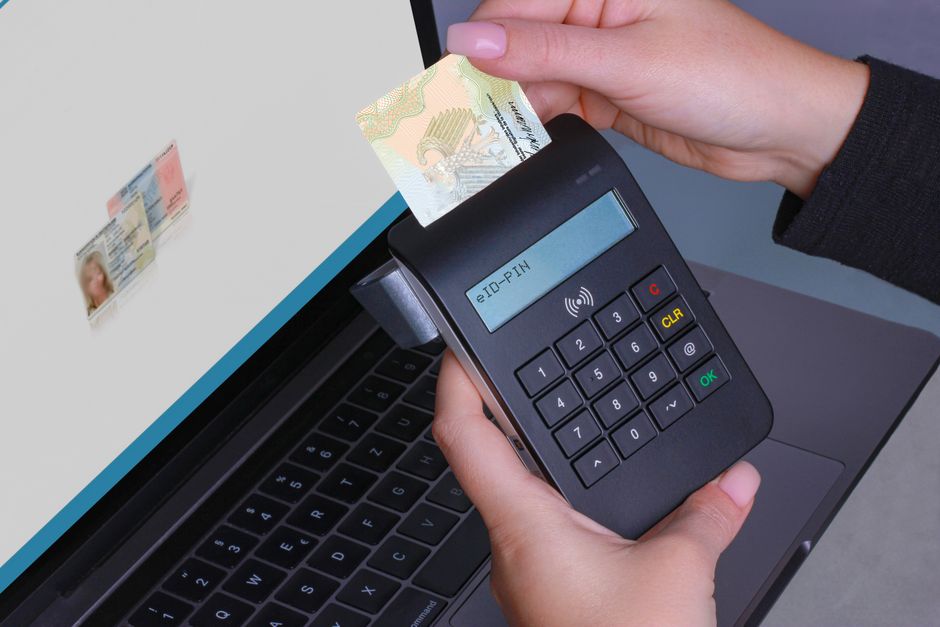

What are passkeys, and why are they suddenly everywhere?
Passkeys are a modern sign-in method designed to replace passwords with cryptographic keys stored on your device. Instead of remembering (or reusing) a password, you authenticate with something you already do: a device unlock action such as Face ID, fingerprint, Windows Hello, or a device PIN.
They’re “everywhere” because major platforms (Apple, Google, Microsoft) and many services are adopting them to reduce phishing and account takeovers. In practice, passkeys improve both security and usability: there’s nothing to type, and there’s no shared secret that attackers can steal from you via a fake login page.
How do passkeys work under the hood (in plain English)?
A passkey uses public-key cryptography:
- When you create a passkey, your device generates a unique key pair for that website or app: a private key (kept safely on your device) and a public key (stored by the service).
- When you sign in, the service sends a challenge. Your device signs it with the private key after you unlock the device. The service verifies the signature with the public key.
- Result: even if someone steals the service’s database, they only get public keys—which can’t be used to log in.
Because the cryptographic exchange is tied to the legitimate website domain, it’s far more resistant to phishing than passwords and one-time codes.
Are passkeys actually “phishing-proof”?
Passkeys significantly reduce phishing risk because the credential is bound to the relying party (the real website/app). A typical phishing page can’t trick your device into releasing a valid signature for a different domain.
However, “phishing-proof” doesn’t mean “attack-proof.” You still need to consider:
- Device compromise: malware or remote control tools can hijack sessions after login.
- Account recovery abuse: attackers may target weak recovery flows (e.g., SMS-based recovery).
- Social engineering: attackers may trick users into approving a login on the wrong device if prompts aren’t clear.
The security win is real, but it’s part of a bigger account security strategy.
What’s the difference between passkeys, password managers, and 2FA?
They solve different parts of the problem:
- Password managers store and autofill passwords (and sometimes passkeys). They reduce reuse and improve password strength, but you’re still relying on passwords.
- 2FA/MFA adds a second factor (app prompts, authenticator codes, hardware keys). It helps, but many forms (like SMS codes) are vulnerable to SIM swapping and phishing.
- Passkeys aim to replace passwords entirely with device-backed cryptographic login, often with a biometric/PIN gesture as the user verification step.
In many services today, passkeys are used alongside passwords during a transition period. Over time, expect “passwordless-first” to become the default.
What’s the catch? Where do passkeys still cause headaches?
Passkeys are smoother than passwords once set up, but the transition can be tricky. Common issues include:
- Ecosystem lock-in: passkeys synced via iCloud Keychain work best across Apple devices; Google Password Manager works best across Android/Chrome. Cross-platform sharing exists but can be uneven.
- Enterprise environments: managed devices, strict policies, and legacy apps can complicate rollout.
- Recovery anxiety: users fear losing a device and getting locked out (a valid concern if backups/sync aren’t configured).
- Inconsistent UX: some sites label them as “Passkey,” others as “Security key,” “Biometric login,” or “Device login.”
The good news: you can adopt passkeys gradually and keep fallback methods until you trust your setup.
Which accounts should I convert to passkeys first (and why)?
Prioritize high-impact accounts—the ones that can be used to reset others or access money:
- Email accounts (Gmail, Outlook, iCloud): these are often the “keys to the kingdom” because password resets flow through email.
- Password manager account: if your manager supports passkeys, protect it aggressively.
- Financial accounts (banking, brokerage, payment services): reduce risk of credential stuffing and phishing.
- Developer platforms (GitHub, cloud consoles): prevent repository theft and infrastructure compromise.
Real-world example: Many account takeovers start with reused passwords from old breaches, then escalate via email takeover. Moving email to passkeys first blocks a large class of “reset-and-takeover” attacks.
How do I avoid getting locked out when switching to passkeys?
A lockout plan is the difference between a smooth upgrade and a support nightmare. Use this checklist:
- Keep at least two sign-in methods active during migration (e.g., passkey + authenticator app, or passkey + hardware key).
- Enable sync/backup for passkeys on your primary platform (iCloud Keychain, Google Password Manager, or a reputable cross-platform manager that supports passkeys).
- Add a second device before removing passwords (e.g., phone + laptop). Make sure both can sign in with the passkey.
- Save recovery codes (where offered) offline in a secure place. Print and store in a safe, or keep in an encrypted vault.
- Audit recovery channels: update backup email, phone number, and disable weak recovery options if possible.
Actionable tip: Treat your recovery settings like a “second perimeter.” Attackers increasingly target recovery flows because they’re often weaker than login itself.
Can I use passkeys across devices and platforms (iPhone, Android, Windows, Linux)?
Yes, but the experience depends on how you store and sync passkeys:
- Platform-native sync: iCloud Keychain and Google Password Manager are convenient if you live mostly in one ecosystem.
- Cross-platform managers: some third-party password managers support passkeys and can sync them across OSes (useful for mixed Apple/Windows/Android households).
- “Use a phone to sign in on a computer”: many services allow scanning a QR code on the computer, then approving on your phone. This is a practical bridge when passkey sync isn’t unified.
If you regularly switch between macOS and Windows, test your passkey workflow on both before you remove alternative login methods.
Are hardware security keys still worth it if passkeys exist?
Hardware security keys (like FIDO2 keys) are still valuable, especially for administrators, journalists, executives, and anyone at elevated risk. They can serve as:
- A backup authentication method if you lose your phone and can’t access synced passkeys.
- A policy-enforced factor in enterprise environments where organizations want a physical possession requirement.
- A “clean device” option that is harder to compromise than a general-purpose smartphone.
Practical approach: Use passkeys for convenience and day-to-day logins, and keep one hardware key as a recovery and high-risk account protector.
What does passkey adoption look like in the real world right now?
Adoption is accelerating, but it’s uneven. Many consumer services already offer passkeys, while some financial institutions and legacy enterprise tools are still catching up.
What’s notable is that large-scale password breaches continue to drive urgency: credentials from old incidents still fuel credential-stuffing attacks because users reuse passwords. Security reporting and incident analyses regularly highlight how attackers capitalize on reused credentials and weak recovery settings. For ongoing coverage and technical breakdowns of security trends, incident response, and authentication changes, a useful resource is Ars Technica’s security coverage.
Actionable takeaway: Even if only a handful of your critical services support passkeys today, enabling them where available reduces your exposure immediately.
How should teams roll out passkeys without overwhelming employees?
For organizations, the human factors matter as much as the cryptography. A practical rollout plan:
- Start with a pilot group (IT, security champions, help desk) and document common issues.
- Provide a two-device requirement (e.g., phone + laptop) and clear steps for enabling sync and recovery.
- Keep a temporary fallback (like authenticator apps) until help desk volume stabilizes.
- Update offboarding procedures: ensure passkeys created on managed devices are revoked or transferred appropriately.
- Measure outcomes: track phishing incident rate, account lockouts, and time-to-authenticate.
Real-world metric to watch: help desk tickets per 100 users during the first 30 days. If this spikes, the issue is usually unclear recovery instructions—not the passkeys themselves.
What are the best practices for passkeys at home?
Home users can get most of the security benefit with a few habits:
- Use a screen lock you trust (biometrics + a strong device PIN). A weak device PIN weakens the chain.
- Keep your OS and browsers updated to avoid credential and session-stealing malware.
- Turn on sign-in alerts for key accounts so you notice suspicious activity quickly.
- Maintain two recovery paths: a secure backup email and a hardware key or recovery codes.
Example: If your email supports passkeys, enable them and also store recovery codes in an encrypted vault. This protects you if your phone is lost and you can’t access synced credentials immediately.
Conclusion: Should you switch to passkeys now?
Yes—selectively and deliberately. Passkeys offer a meaningful security upgrade by eliminating the most attacked part of authentication: the reusable password. The best path is to start with your highest-impact accounts (email, password manager, financial services), keep fallback methods during the transition, and verify cross-device access before removing older options.
Done right, passkeys reduce phishing risk, cut friction, and make “strong security” feel normal—without forcing you to memorize anything new.