
The new “where do you make music?” question
Music creation has quietly shifted from being tied to a single room (the “studio”) to being tied to a lifestyle. Laptops, compact interfaces, wireless MIDI, and creator-friendly public spaces mean your environment is now a variable you can design. That’s not just a convenience—it changes what you write, how often you finish tracks, and how sustainable your routine feels.
This comparison breaks down three specific, modern setups that are trending because they match how people actually live today:
- The Pocket Studio (ultra-portable, minimal gear, maximum frequency)
- The Practice Pod (a dedicated, acoustically sensible micro-space at home)
- The Creator Café Routine (public-space creativity with a repeatable workflow)
Each approach has trade-offs in cost, output, sound quality, social energy, and long-term consistency. Below, you’ll get real-world examples, practical checklists, and tips to help you pick the best fit—or combine them.
Comparison at a glance
- Best for finishing songs: Practice Pod
- Best for writing more often: Pocket Studio
- Best for creative momentum + networking: Creator Café Routine
- Lowest cost to start: Pocket Studio (if you already own a phone or laptop)
- Best for vocals + critical listening: Practice Pod
Option 1: The Pocket Studio (create anywhere, finish later)
What it is
The Pocket Studio is a deliberate “small rig” built for speed: capturing ideas on a commute, writing hooks in a green room, editing drums while traveling, or sketching arrangements in a hotel. You’re optimizing for frequency rather than perfection.
Typical gear stack
- Phone or lightweight laptop (with a reliable DAW or mobile app)
- Compact headphones you know well
- Small MIDI controller (optional)
- Portable audio interface if you record instruments/vocals
- Power bank + short cables (friction kills consistency)
Pros
- More reps = more songs. The biggest win is volume: more starts, more iterations, more chances to land a great idea.
- Captures “first impulse.” Many memorable hooks appear while walking, waiting, or winding down—moments a fixed studio doesn’t catch.
- Low lifestyle friction. If your schedule is unpredictable, portability beats good intentions.
Cons
- Mixing decisions are fragile. Public noise and inconsistent monitoring can lead to over-bright EQ, underestimating bass, or uneven vocal levels.
- Harder to record clean vocals. Unless you have a controlled space, you’ll fight reflections and background noise.
- File management can get messy. Multiple devices and locations demand a clear backup system.
Actionable workflow (that actually gets songs finished)
- Use a 3-layer system: (1) capture idea, (2) build 60–90 seconds, (3) schedule “finish sessions” in a stable space.
- Set a rule: no more than 20 tracks in mobile sketches. If you exceed that, export stems and move to a home session.
- Template your starting point: a drum rack, a bass sound, two synths, and a vocal chain placeholder. Reduce start-up time.
Real-world example
A touring guitarist can build a Pocket Studio around a laptop, a compact interface, and one high-quality amp sim. Between soundcheck and doors, they track DI parts and rough arrangement markers, then re-amp or refine at home. The result: tours become writing seasons instead of creative “dead zones.”
Option 2: The Practice Pod (your micro-studio that protects focus)
What it is
The Practice Pod is a small, dedicated area at home designed for repeatable sessions. It can be a spare closet, a corner of a bedroom, or a partitioned section of a living room. The point is not luxury—it’s consistency: same chair, same monitoring, same lighting, same startup routine.
Typical setup components
- Nearfield monitors (or a trusted headphone rig with a reference chain)
- Basic acoustic treatment (at minimum: first-reflection points + bass management where possible)
- Desk + ergonomic chair (your back is part of your signal chain)
- One “always connected” vocal/instrument path to reduce friction
Pros
- Better decisions. You can learn your room and monitoring, which improves arrangement and mix translation.
- Fast transitions into deep work. A dedicated space cues your brain: this is where music happens.
- Cleaner recording. With modest treatment and a consistent mic position, vocals and acoustic instruments improve dramatically.
Cons
- Space is a privilege. Not everyone can dedicate a corner or control noise in shared housing.
- Upfront cost can creep. Stands, treatment, cables, and ergonomics add up.
- Perfectionism risk. A “proper studio” can trick you into endless tweaking instead of finishing.
Smart, budget-aware treatment tips
- Start with placement: pull your desk away from the wall if possible, aim for symmetry, and keep monitors at ear height.
- Treat first reflections: two panels left/right and one overhead (or thick alternatives) often outperform random foam coverage.
- Use reference tracks relentlessly: pick 3–5 tracks you know intimately and check them every session.
Gear reality check (with a helpful resource)
When comparing interfaces, monitors, and controllers, it helps to read current roundups and buyer’s guides so you don’t overbuy for your needs. A solid place to sanity-check specs and real-world pros/cons is MusicRadar’s gear reviews and buying guides.
Real-world example
A singer-songwriter in an apartment builds a Practice Pod with a reflection filter, thick rug, and two DIY absorption panels at reflection points. They track vocals at consistent times (e.g., 7–9pm), comp takes immediately, and print rough mixes before bed. The key outcome isn’t “studio grade”—it’s finishing one releasable demo per week.
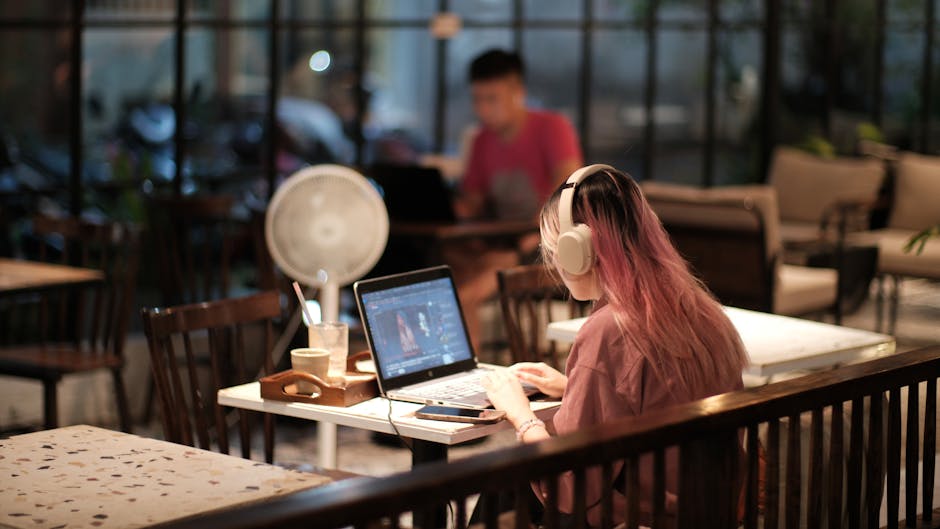
Option 3: The Creator Café Routine (public space, private workflow)
What it is
This approach uses a specific café, coworking space, or hotel lobby as a recurring creative environment. It sounds counterintuitive, but for many people it solves the two biggest blockers: isolation and procrastination. You borrow the ambient energy of others working.
What works well here
- Lyric writing and toplines
- Arrangement editing (structure, drops, transitions)
- Sound selection and MIDI programming on headphones
- Admin tasks (release planning, playlists, EPK updates)
Pros
- Built-in momentum. Seeing other people work can reduce decision fatigue and scrolling behavior.
- Routine becomes identity. “I’m the person who writes at this spot on Tuesdays” is powerful.
- Networking without forcing it. Regularity creates familiar faces; casual conversations can lead to collabs.
Cons
- Audio precision is limited. You can’t trust sub-bass or fine EQ moves.
- Privacy and security. Protect sessions, avoid open Wi‑Fi for client files, and keep backups.
- Vocal recording is impractical. You’re mostly in “writing and editing” mode.
A repeatable café workflow (90-minute session)
- 0–10 min: open one project only; write a goal in a note (“tighten verse, new pre, export v2”).
- 10–60 min: arrangement pass with markers (Intro/Verse/Pre/Chorus/Bridge/Outro).
- 60–80 min: sound pass (swap 3 sounds max; commit decisions).
- 80–90 min: export an MP3 labeled with date/version; write next action.
Real-world example
An electronic producer uses a coworking membership twice a week strictly for “arrangement days.” No sound design rabbit holes allowed. They work from a single template and finish a full structure (even with placeholder sounds) in one sitting. At home, they replace sounds and mix. The public space becomes a guardrail against endless tweaking.
How to choose: match the setup to your bottleneck
If you struggle to start
- Choose Pocket Studio or Creator Café Routine.
- Tip: keep a “one-tap capture” tool ready (voice memos, DAW notes, or a simple recorder app). Your future self will thank you.
If you struggle to finish
- Choose Practice Pod (or at least schedule finishing blocks there).
- Tip: set “definition of done” rules (e.g., vocal comped, drums balanced, limiter on mix bus, exported v1).
If you struggle with quality/translation
- Choose Practice Pod as your decision room.
- Tip: create a 10-minute translation check: phone speaker, car test, and one pair of consumer earbuds. Fix only what shows up in 2 of 3.
If you struggle with burnout
- Mix approaches: Café for light creation, Pod for deep sessions, Pocket for capturing ideas.
- Tip: separate “creative” days (writing) from “technical” days (editing/mixing). Context switching drains energy.
A hybrid plan that works for most modern musicians
If you can’t decide, use a three-zone system:
- Pocket Studio: idea capture + rough 8-bar loops (daily, 10–20 minutes)
- Creator Café Routine: arrangement + lyric sessions (1–2x/week, 60–90 minutes)
- Practice Pod: recording + finishing + mix decisions (1x/week, 2–3 hours)
This hybrid keeps creativity frequent, structure intentional, and quality controlled—without requiring a perfect home studio or endless free time.
Conclusion: design your environment like an instrument
The best music-lifestyle setup isn’t the most expensive; it’s the one that makes you show up consistently and complete work you’re proud to share. The Pocket Studio wins on frequency, the Practice Pod wins on decision quality, and the Creator Café Routine wins on momentum and social energy. Identify your biggest bottleneck—starting, finishing, or translating—and choose the setup that removes it. Then refine your routine the same way you refine a chorus: with intention, repetition, and a clear endpoint.
When your environment supports your habits, your output stops being a matter of luck—and starts looking like a system.